

Everything runs through your affiliate dashboard, which you access with the login created when your affiliate application was approved. The dashboard is separate from your Gecko Edge member account, so it has its own sign-in.
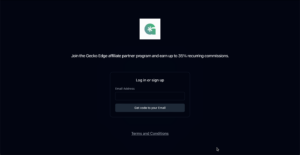
You can access your dashboard here: https://resourcemode.promotekit.com/dashboard
Your referral links are on the dashboard’s main screen. These link carry your unique tracking code, and any visitor who arrives through it is attributed to you. Attribution is cookie-based with a 60-day window, meaning a visitor you refer has 60 days to sign up and still count as your referral, even if they do not subscribe on their first visit.
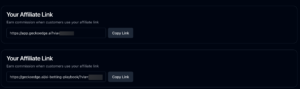
Link 1: Promote the free, no card, trial directly on Gecko Edge
Link 2: Promote the free ebook “AI Betting Playbook” and we’ll take care of the rest
The dashboard tracks three levels of activity: clicks on your link, sign-ups from those clicks, and commissions earned when referred members pay. Commission is 35% recurring, so you earn on every payment a referred member makes for as long as they stay subscribed, not just their first one. Payouts run on Net-15 terms, which means commissions for a given month are paid out around the middle of the following month.
Two practical tips. Use your referral link everywhere you mention the platform, since only tracked clicks can be attributed. And check the dashboard to understand how you are performing; the click-to-signup numbers tell you quickly which of your placements and content actually convert.
If you require any custom assets or help with writing content and emails, feel free to reach out to support@geckoedge.ai and include “Affiliate” in the email title.