

I have just upgraded to Concierge. I press the star on the main page and go to the premium bet summary page. I can see the premium bets at the bottom of the page. I want to know how I can keep and record bets.
Tracking takes place on the “Upcoming” tab within Premium.
Scroll to the right and you will see an “Add” button. Click it for each bet you want to keep.
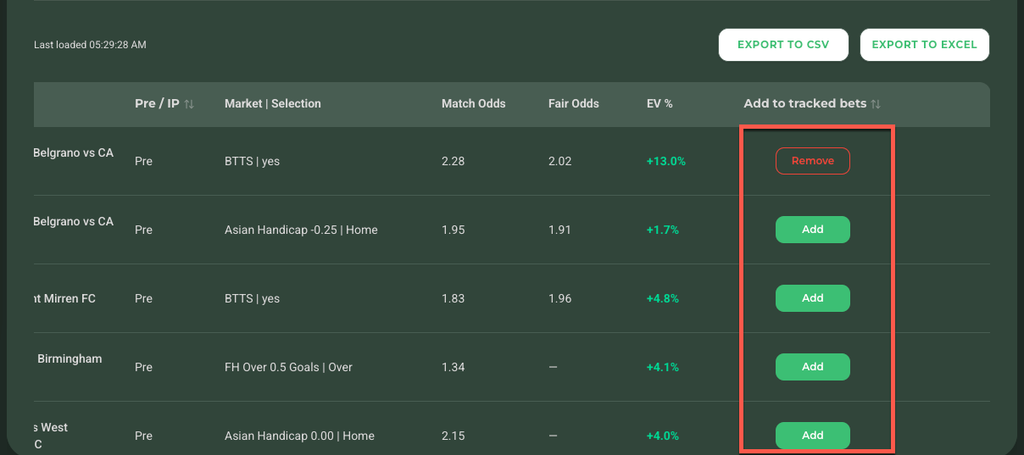
Upcoming tab, “Add” button at the right of a row
Once added, head over to your own tracker at app.geckoedge.ai/recommendations.
There, in either Upcoming or Completed, you can add your own odds. Scroll to the right and look for the “Odds Taken” column. Click that box and enter the odds you took. The “EV% Taken” column updates automatically.
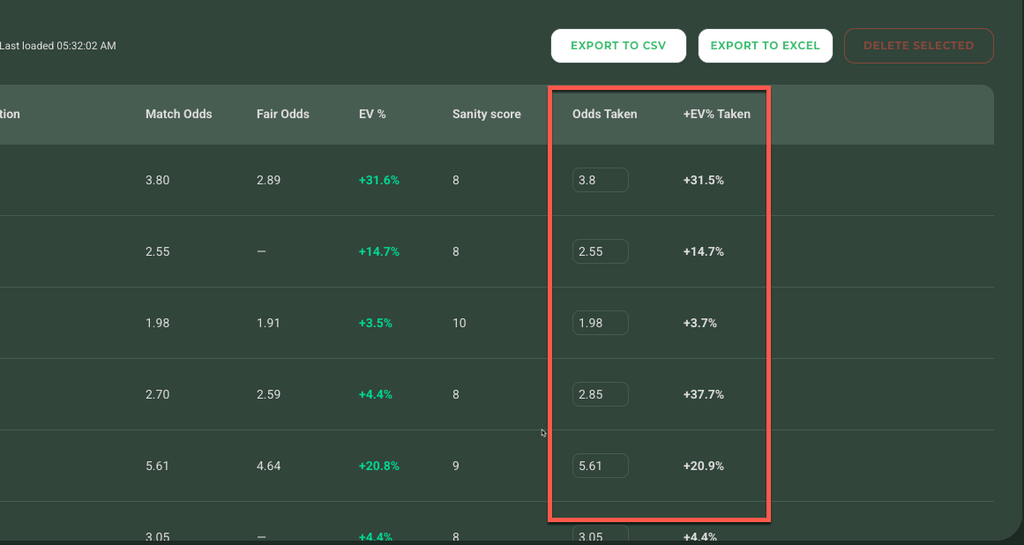
The tracker also provides filters, so you can organise your tracked bets however suits you.