Yes. Gecko Edge runs in your phone’s browser and the platform is fully usable on mobile. Open app.geckoedge.ai in Safari, Chrome, or any modern mobile browser, sign in with your magic link as normal, and you get the same prompts, fixtures, and output as on desktop.
A tip for faster access: add the app to your home screen. On iPhone, open app.geckoedge.ai in Safari, tap the share icon, and choose “Add to Home Screen”. On Android, open it in Chrome, tap the menu, and choose “Add to Home screen”. You get a one-tap icon that behaves much like a native app.
Mobile suits in-play use in particular. If you are watching a match and want to run a live analysis, your phone is often the quickest route to it.
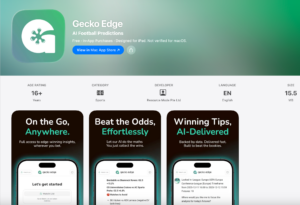
Gecko Edge is also now available on all supported iOS devices. You can install the iOS App by clicking the link below. If you have an existing paid membership, you can restore your account by using the same email address that you would normally use to access Gecko Edge on desktop.
Download the Gecko Edge iOS App.