

The dashboard is built around three areas: the fixture list on the left, the analysis area in the centre, and the fixture context on the right. This tour walks through each of them, then the +EV Bet Tracker, settings, and your account controls.
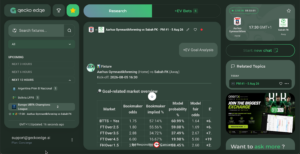
The fixture list (left sidebar)
The left sidebar is your fixture navigation. Fixtures group by time: Live at the top, then Next 3, 6, 12, 24, and 48 hours, organised by competition. Two marks matter on each fixture. A green dot means the match will be covered In-Play. The star adds it to your Favourites shortlist, which you open from the star icon at the top of the sidebar.
The dropdown above the list filters to a single competition, and the search bar finds any fixture as you type. The list runs on your timezone and refreshes itself; the timestamp at the bottom shows the last update.
Running an analysis (centre)
The centre of the screen has two tabs. Research is where analyses run. Pick a fixture, choose a smart prompt (for example +EV Goal Analysis), and the output arrives as a scrollable thread: fixture details, the market tables, the most likely scorelines, the xG picture, the Sanity table, and the Recommendation block at the end. Each analysis is named by type and date, PM #1 for your first pre-match run on a fixture, IP #1 for in-play, and the icons next to the name let you rename or favourite it.
+EV Bets is the second tab. Its badge shows how many value opportunities the model has surfaced for the fixture, each listed with its market, selection, odds, and EV figure.
Fixture context (right panel)
The right-hand panel holds the context for the fixture you are working on: the match card with kick-off time and a countdown to live coverage, a Start new chat button to run another analysis on the same fixture, and Related Topics, which lists your earlier runs so you can reopen any of them. Your analysis history is searchable and covers the previous 72 hours.
The +EV Bet Tracker
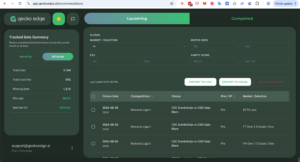
Save Bet on any bet card sends the selection to your +EV Bet Tracker. The Upcoming tab lists your saved bets with the fixture, competition, whether the selection was pre-match or in-play, and the market. You can filter by market, match odds, EV%, or Sanity Score, export the list to CSV or Excel, and delete selections you no longer want.
The Completed tab is your performance record: summary metrics (bets, profit, ROI, average EV, win rate, average odds), a breakdown by EV band comparing expected against actual returns, a profit trend chart, and period filters from 24 hours out to all-time. The Tracked Bets Summary alongside shows your monthly or all-time totals at a glance.
Premium Recommendations (Concierge)
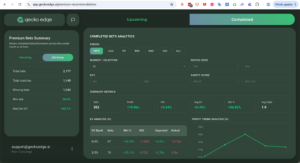
Concierge members have an additional Premium Recommendations page with the same two-tab layout: Upcoming lists the day’s curated +EV portfolio, and Completed shows the analytics for the curated record, with the same filters and summary metrics as the tracker.
Settings
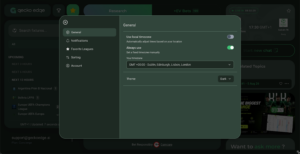
The settings panel covers General, Notifications, Favourite Leagues, Sorting, and Account. General is where you set your timezone, either following your location or fixed manually, and choose the theme. Favourite Leagues and Sorting control how the fixture list is ordered and which competitions lead it.
Your account and plan
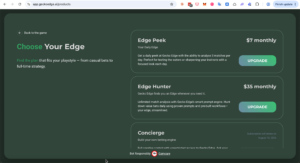
Your signed-in email and current plan sit at the bottom left of the sidebar. The three dots next to them open Manage Subscription, where you can change plan, cancel, or check your renewal date. Current plans and pricing are at geckoedge.ai.
If this is your first session, run one prompt on one fixture and read that output well before widening out. The reading-an-output entry explains each number, and the getting-started entry gives you a simple first routine.
Related articles
- How do I find a specific fixture?
- Your first analysis — what to click and what to expect
- How do I read a fixture analysis output?
- How do the in-play tabs work? (Research, Live Stats, +EV Bets)
- Getting started: a simple strategy for your first weeks
- How do I manage my subscription? (upgrade, downgrade, cancel)